Post by @jac

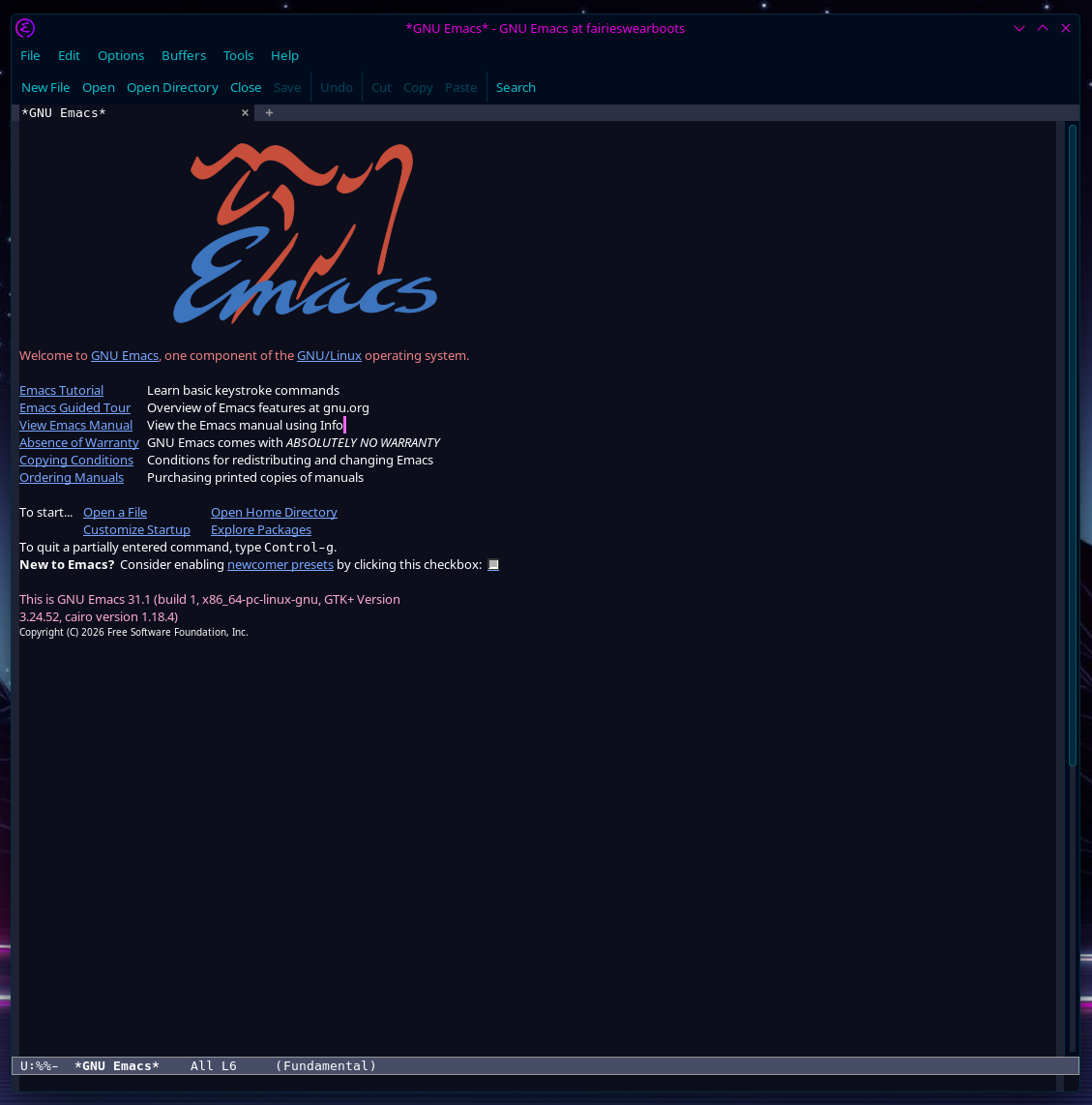
My brain leads me down unexpected rabbit holes fairly often. Today is the turn of #emacs, which I suspect is going to be a lengthy, but hopefully rewarding, rabbit hole.
I've opted to start with the GUI client, mostly because I have a horrible time remembering new shortcuts / commands (thanks to both ADHD and menopause, my memory is shite). Any tips from anyone familiar with it? I'm going to go through the official tutorials etc, but if there are better resources I should know about, I'd be glad to hear them!
10 likes
 Naty S@eclecticpassions@fosstodon.org
 BeefGriller is antifa@BeefGriller@dice.camp
 petes_bread_eqn_xls@petes_bread_eqn_xls@mastodo.neoliber.al
 Zenie@Zenie@piaille.fr
 David Ruffner@davidruffner@masto.nyc
 Rust Buckett@rustbuckett@mastodon.social
 nomadfarmer@nomadfarmer@kolektiva.social
zygmyd@zygmyd@toot.cat
 andyc@andyc@yakshaving.social
 jnpn@jnpn@mastodon.social

@jac Protesilaos has some helpful video explanations on youtube. Emacs is really about experimenting with different settings and finding what works for you
https://youtube.com/playlist?list=PL8Bwba5vnQK3sQdwAbtdvuxUdtKSfOftA&si=o-qKH4ofHxH4uJ1P

@jac You will find a lot of beginner tutorials and configs that recommend turning off the menus, toolbars, etc. Don't, unless and until they get in *your* way!
The "newcomer presets" you see on that page are generally wise and fix a few bad 20th Century defaults.
Control-G will abort many things if you're in a jam, and Control-H will pop up help in various contexts.
Enjoy the journey!
@ross@rossabaker.com Oh I learnt the hard way not to go disabling menus, a long time ago. 😆
Thanks for the tips!

First: congratulations @jac, this is a very rich ecosystem and community you're entering, I really hope you find #Emacs rewarding.
It's been a long time since I learned, so I learned from the built-in tutorial (`C-h t`) which is friendly enough but requires you to maintain interest.
Also, no shade at all using the GUI, the fact Emacs works the same in a text terminal is a great benefit but not a requirement. GUI is my primary Emacs, I hardly ever need the text-only Emacs.
@bignose@fosstodon.org Thanks. It's always good to see software that has an enthusiastic community behind it. :)
I'm just looking at the tutorial now, but I don't think my head is in the mood for it so I'll revisit it properly tomorrow. Maintaining interest can be difficult, especially when I'm tired, so I'm having a look at the videos @tiang@mastodon.social pointed out instead.
I do like a GUI because it doesn't require me to remember a thousand shortcuts, which I often have a problem with. My previous experiments with Neovim ended within an hour for that very reason. :D

@jac you might find which-key mode useful; if you press the first key of a multi-key combination it’ll show the possible further keypresses and what they do. (Like if you press control-h it’ll tell you f for function help, v for variable help, k for keybinding help, etc.)

I really enjoyed https://protesilaos.com/codelog/2024-11-28-basic-emacs-configuration/
Prot has some really nice writeups
I've been using emacs for almost one year now. It takes some time but once you get used to the keystrokes, you won't go back to anything else.
@peaoPerdido@datasci.social Thanks! Someone already recommended his videos and website, I'm actually watching a Prot video now. Good to have a recommendation reinforced. :)
@jac You've got a lot of great recommendations there, but don't get overwhelmed. It can be very easy to do starting with Emacs, but it's worth it in the end. A few other resources that I've found very valuable are:
System Crafters on YouTube
Emacs Org Mode Tutorial by James Stoup on GitHub
Mastering Emacs by Mickey Peterson -- It's a really enjoyable read, so you're learning without feeling like you're slogging through documentation.
Use GNU Emacs by Keith Waclena -- currently reading
@rustbuckett@mastodon.social Thanks, I'll make a note of all of those things. I know what you mean, it can be easy to get overwhelmed (Obsidian can be the same way lol), but I don't mind. I'll go through it all gradually and I like to have choices.
Actually amazed at the number of people who have replied, it's great to get so much input!
@jac@404brain.boo I've used #Emacs for many years but still occasionally revisit the built-in tutorial (C-h t) and have all menus enabled :-)
Don't rush it, spend time getting comfortable with the basics of text editing, moving, scrolling, search, replacing, copy, kill, paste, buffers, commands etc.
[ If you're used to a modal editor (vi), maybe consider the Evil package to provide a familiar environment. ]
You've already had several excellent recommendations for useful resources. I can certainly recommend yet again Prot's videos, Emacs packages and the excellent Modus themes.
I have used starter kits for Emacs (Prelude, Bedrock, Doom) but am in two minds about them. They provide an excellent, polished experience for newcomers but also may include packages you don't want or need. Also, they tend mask the Emacs lisp needed to make configuration changes. Now I prefer to maintain my own Emacs configuration file.
You must also follow @sacha@social.sachachua.com - https://sachachua.com/blog/2026/04/working-on-the-emacs-newbie-experience/
From your requirements, I would certainly investigate orgmode. Again, just don't rush it and get comfortable with the org markup syntax and then maybe experiment with tasks and ToDo lists.
The org-roam and denote packages may well prove to offer similar functionality to Obsidian for knowledge management, journaling and notes.
Chris Maiorana's Emacs for Writers might be of interest - https://chrismaiorana.com/the-emacs-for-writers-handbook-is-available-now-and-ever/
Similarly, Peter Prevos' Writing Studio - https://lucidmanager.org/productivity/configure-emacs/
My favourite Emacs packages that I really miss when using vanilla Emacs on a new machine:
- dired (file manager)
- a marvellous set of packages for completion framework (Vertico, Consult, Marginalia, Orderless)
- jinx - spell checker
Good luck and have fun with Emacs !
@andyc@yakshaving.social Thank you! So much to dive into, and I'll get to it all, but as you say, I'll take my time with it.
I think orgmode will be one of the first things I investigate. The markup seems extremely similar to Markdown, which is handy because I'm very familiar with that. :)
I'm not really that familiar with editors like vi, so I guess I'm coming at this with no habits to untrain, as it were. Making a note of those links, and I'll give Sacha a follow too.
@jac@404brain.boo Before I forget:-
- PlanetEmacs provides a curated RSS feed of decent #Emacs related blogs.
- The excellent 'elfeed' package is an RSS reader for Emacs. (I think you mentioned this as a nice to have).
@andyc@yakshaving.social I did! I'll definitely have a play with that. I mostly use FreshRSS as my reader, but I'm always up for trying other things.

@jac Be sure to print out the ref card, it is compact and yet has the both the default stuff and some of the slightly more advanced (yet very useful) commands.
Like Ben said, add (which-key) to your init.el
Also learn to explore the help. It is extensive and will help you find answers for everything.
List-packages will allow you to install more features.
Of which, vertico, marginalia and orderless are instantly helpful. They enhance mini buffer behavior.
Also Mickey Petersen's book is great and he has lots of articles online.


@jac@404brain.boo It's the deepest and holiest of rabbit holes! :). Mastering Emacs helped a lot (https://www.masteringemacs.org/). Prot's "basic emacs configuration" is not quite up to date, but very useful (https://protesilaos.com/codelog/2024-11-28-basic-emacs-configuration/). Try to resist things like Doom (I didn't, but should have). There are lots of bare-bones "starter kits" that get you a usable experience, but without the kitchen sink. If you struggle remembering key bindings, you'll want the which-key package (which I think is built in to newer Emacs). Have fun!
@jack@social.baty.net Thank you, I'm sure I will! I have a bit more time today, so I'll sit down for a proper learning session this afternoon.
Ready made packages like Doom are a bit hard to resist, but I'll do my best not to succumb to temptation until I at least have a grasp of the basics. It's a tough ask though, when my brain says "oooh, pretty!". :D
@jac@404brain.boo I don't think there's anything wrong with starting with a fancy starter kit like Doom, especially if you're a Vim user. It'll be frustrating but fun either way :)

@jac I use Prelude emacs for one within sight of vanilla so it didn't fk my head learning it. (Comes with LSP and TreeSitter and such)
`helpful` is good for digging in to unknowns
`shackle` does at least a bit for the abysmal window management. (I can send copypasta config that I inherited from someone on fedi)
`cheatsheet` for noting down key chords